From soil sampling to fertilising by zone
Agronix splits the plot into zones, places the sampling points and, with each zone's analysis, prepares the variable-rate fertilisation map.
A single sample for the whole field hides the differences in the soil. With the sampling plan every zone has its own analysis: phosphorus, potassium, organic matter and pH become a map, and the fertiliser rate follows the zone instead of the average.
Sampling plan
Zones and sampling points, ready for the field
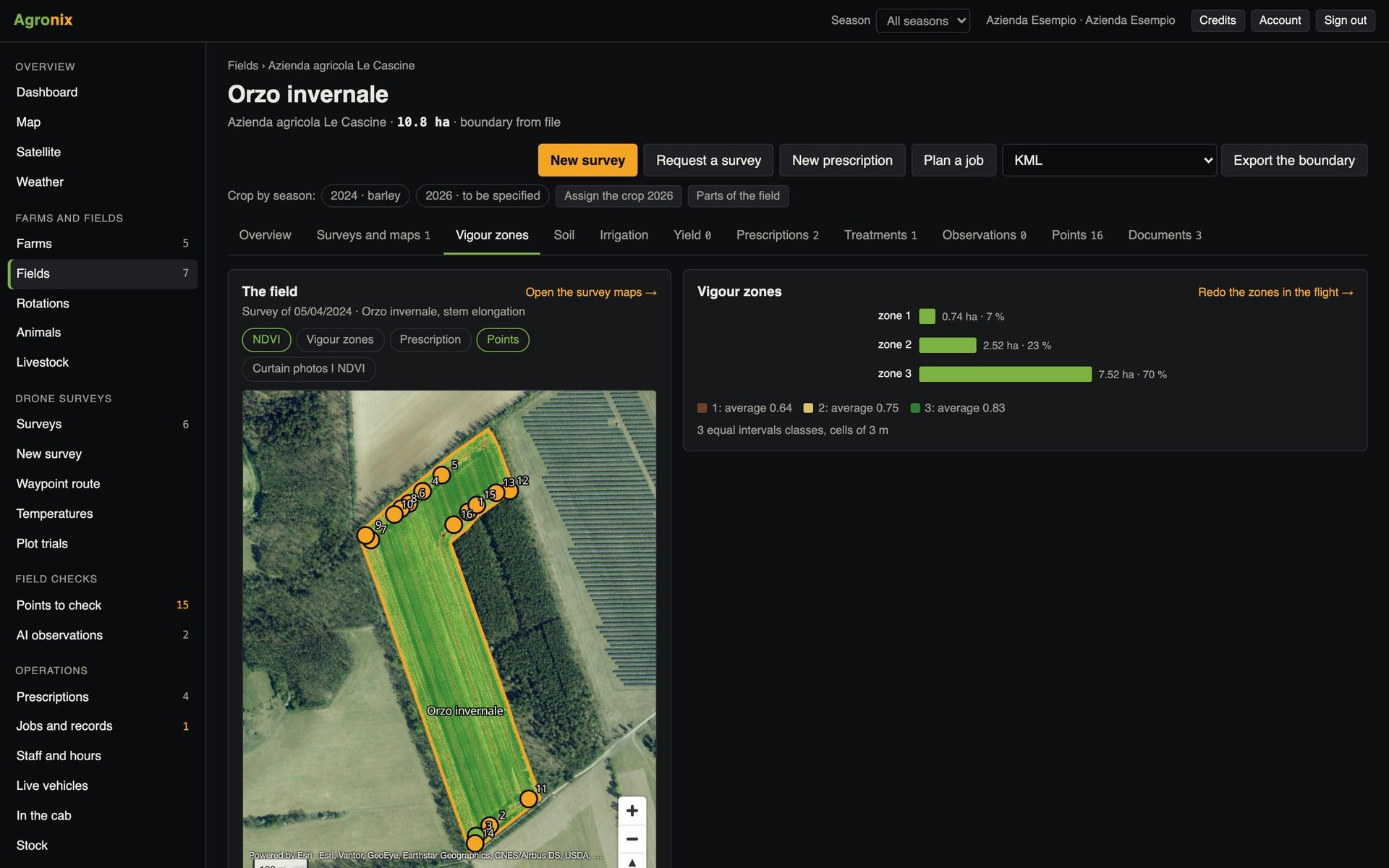
The field is split into zones of about one hectare, with sampling points following the regional fertilisation rules. Zones can also come from an existing soil map, made with sensors or by a laboratory, and the Region's soil map can be laid over the field.
- Zones from half a hectare to five hectares
- Zones also from shapefile, KML, KMZ, GeoJSON and GeoPackage
- The Region's soil map on the map
In the field
Your phone takes you to every point
In the field app every sampling point has its «Take me there». Zones and points can also be downloaded in GPX or GeoJSON for a navigator.
- «Take me there» point by point
- Points in GPX
- Zones and points in GeoJSON
Results
Fertility zone by zone
Each lab report is linked to its zone. The map is coloured for phosphorus, potassium, organic matter and pH, with low, normal and high ratings, and shows the recommended nitrogen, phosphorus and potassium rates zone by zone.
- Ratings per parameter
- N, P₂O₅ and K₂O rates per zone
- Table of zones with analyses
Prescription
One rate for each zone
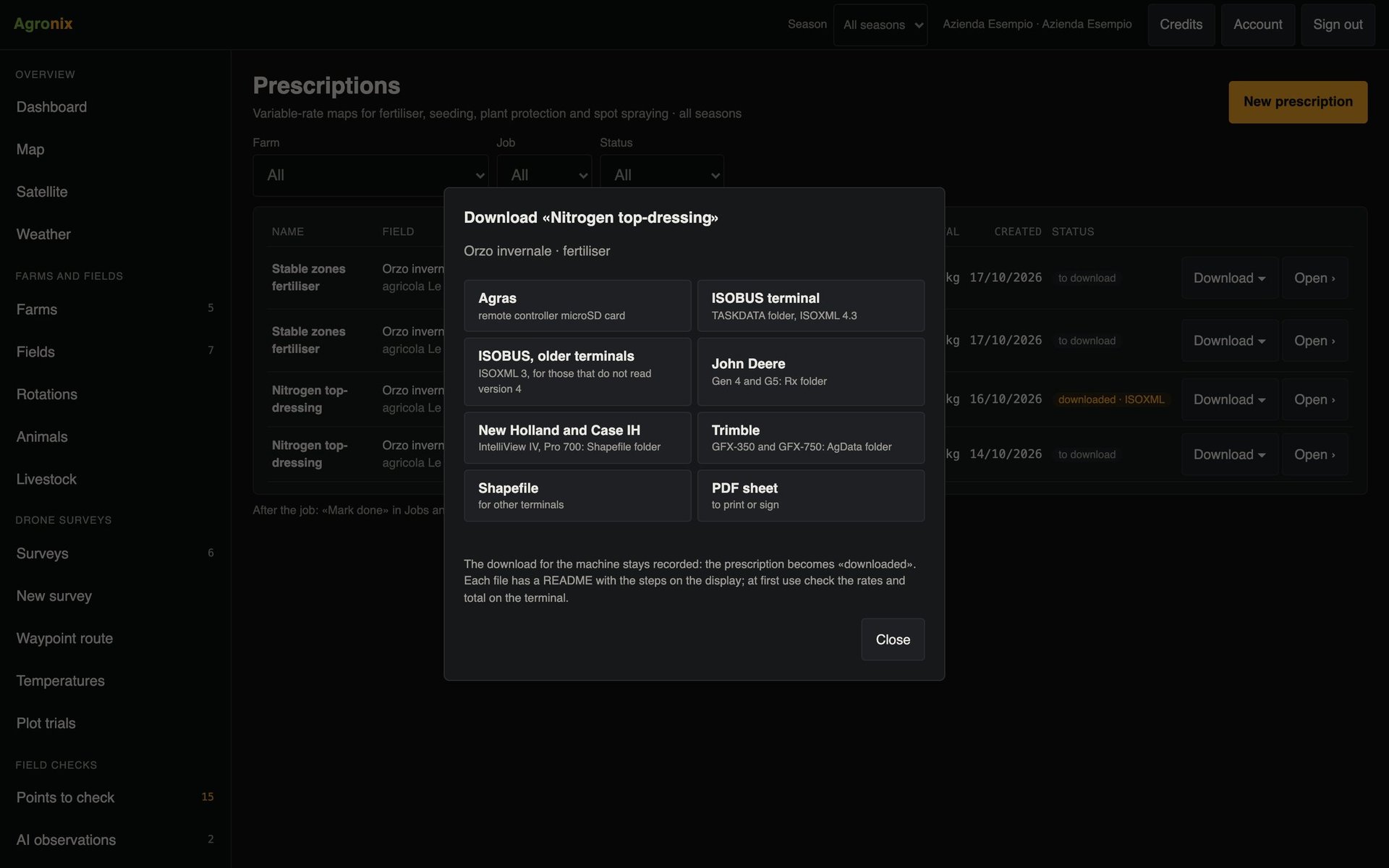
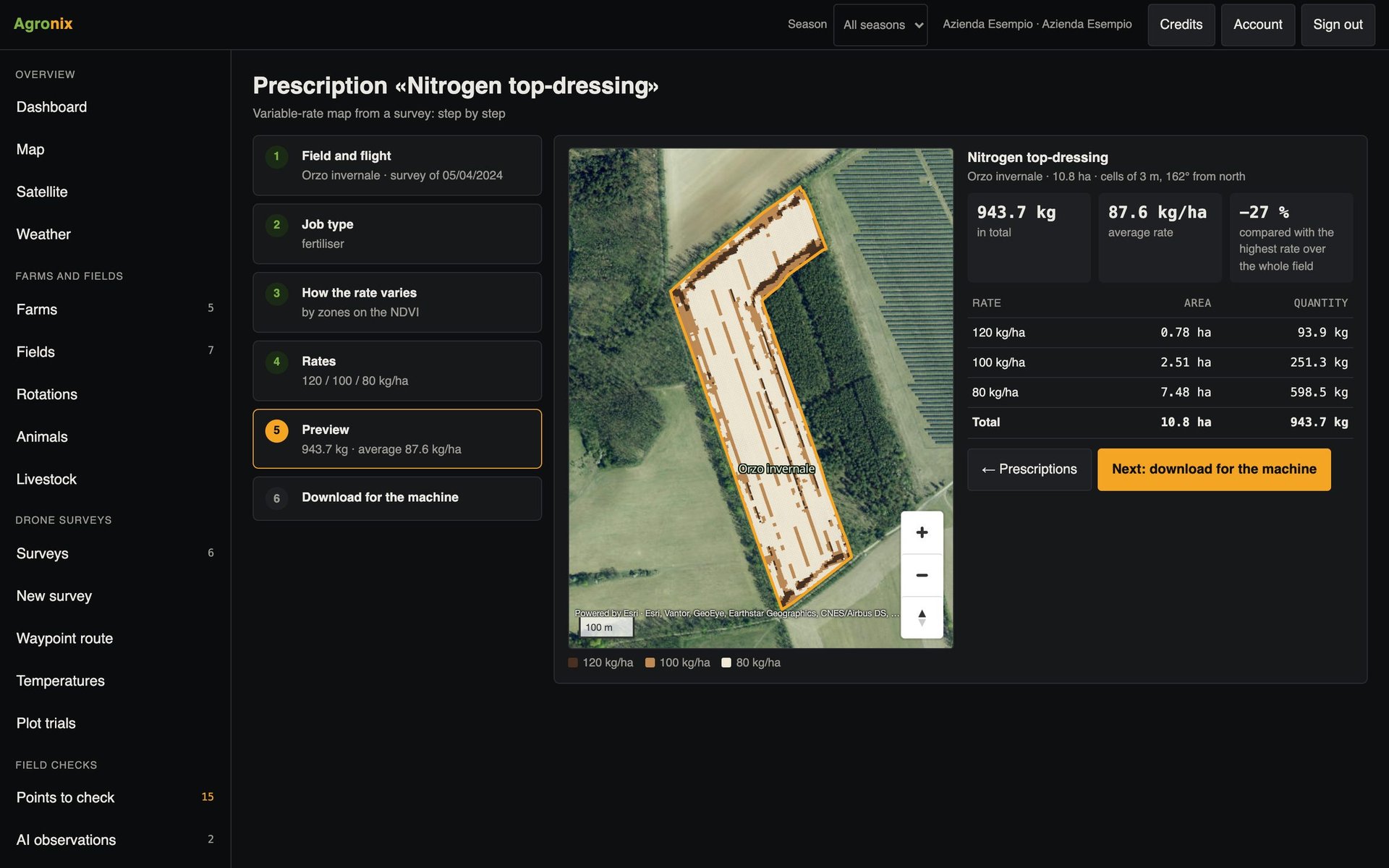
The prescription comes from the map: choose the element and the fertiliser with its grade, and Agronix calculates the product rate for each zone. Zones without an analysis take the whole-field rate; the machine file is downloaded from Prescriptions.
- Element or product rate
- Zones without analysis included
- Files for the machines
How to use it
- 1
Prepare the plan
Zones and points on the field boundary.
- 2
Take the samples
With «Take me there» on the phone.
- 3
Enter the analyses
One per zone, from the report.
- 4
Create the prescription
One rate per zone, ready for the machine.
Specifications
- Sampling
- About one sample per hectare, up to 20 cores per sample, top 5 cm removed, down to about 30 cm.
- Zone files
- Shapefile (.zip), KML, KMZ, GeoJSON and GeoPackage, up to 20 MB.
- Advice
- Standard-rate sheets of the integrated production specifications.
- Downloads
- Points in GPX, zones and points in GeoJSON.
The regional soil map is currently available for Piedmont.
Related features
- Management zonesZones from a survey, stable zones from several satellite seasons and combine yield maps.Learn more
- Prescription mapsVariable-rate fertiliser, seeding, plant protection and spot weeding, in six guided steps.Learn more
- Files for machineryThe prescription in the format of the spraying drone, ISOBUS terminals and the main manufacturers.Learn more