Skip to content
Agronix

Devices

Agronix on computer, iPad and smartphone

A web platform: nothing to install and the same data on every device, with each user's own login.

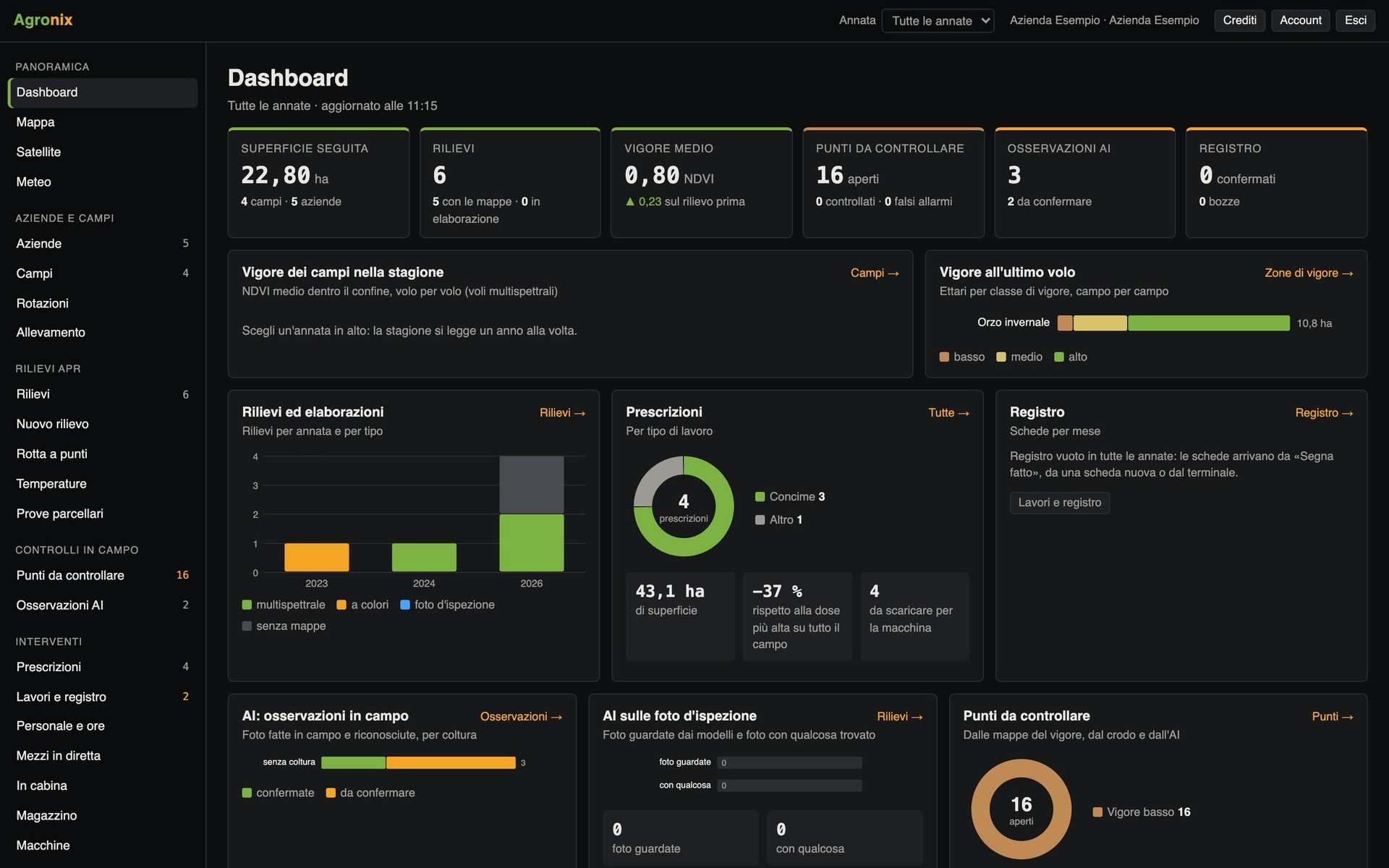
Agronix dashboard on the computer

Computer

Where planning happens: flight missions, prescriptions, records to confirm, accounting and reports. Full tables and several panels side by side on the big screen.

  • Every feature of every module
  • Confirming records and signing documents
  • Exports for machinery, GIS and farm assistance centres
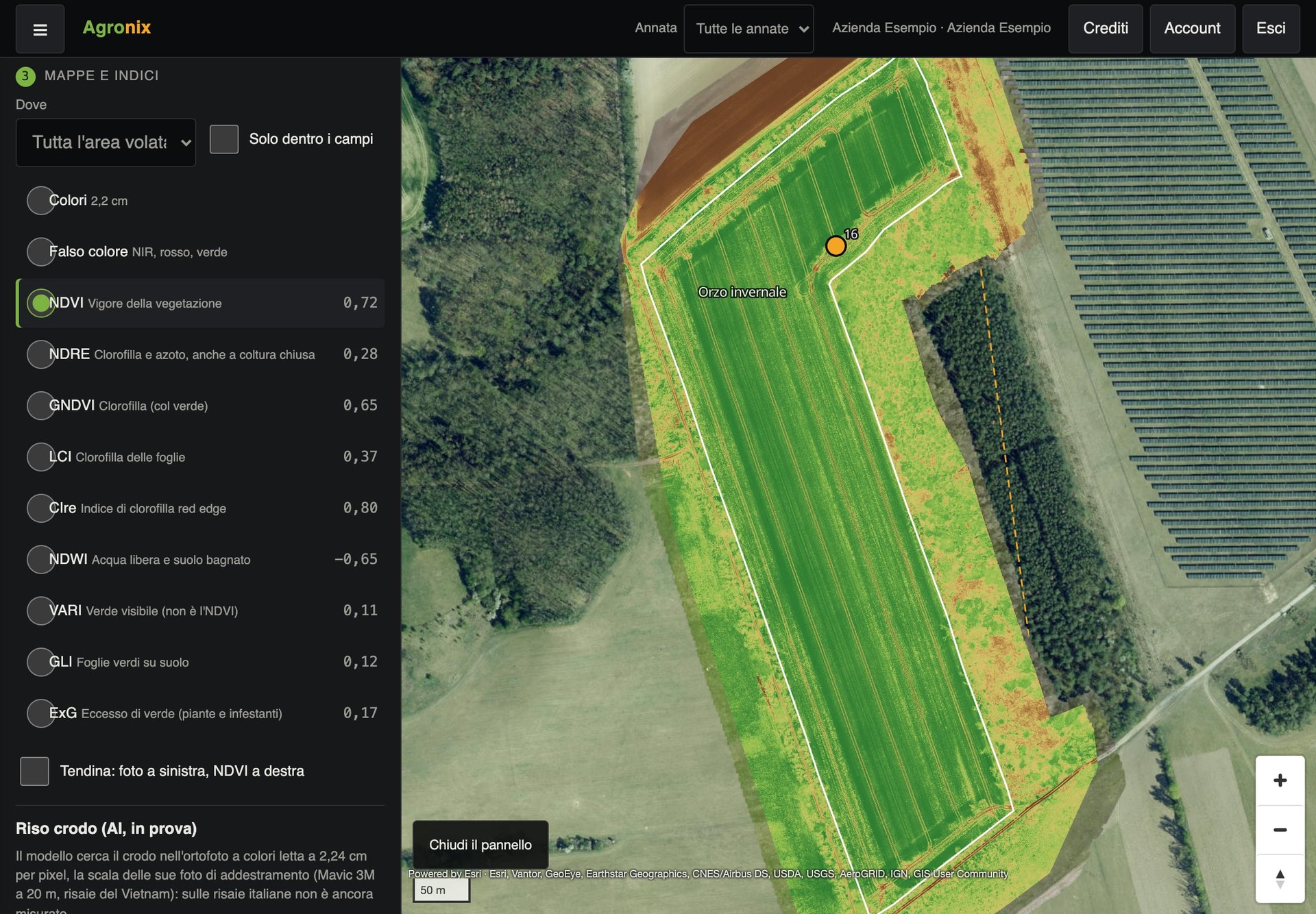
NDVI map on the iPad in the touch version

iPad

On the iPad, Agronix recognises the finger as the pointer and switches to the touch version: every control is at least 44 × 44 points, fields can be read without zooming, menus pop up. On the map, boundaries are drawn and corrected with a finger or a pen, and the side panel closes to give the whole screen to the map.

  • Every computer feature, by touch
  • Boundaries drawn with a finger or a pen
  • Computer version one menu away

Smartphone: the field app

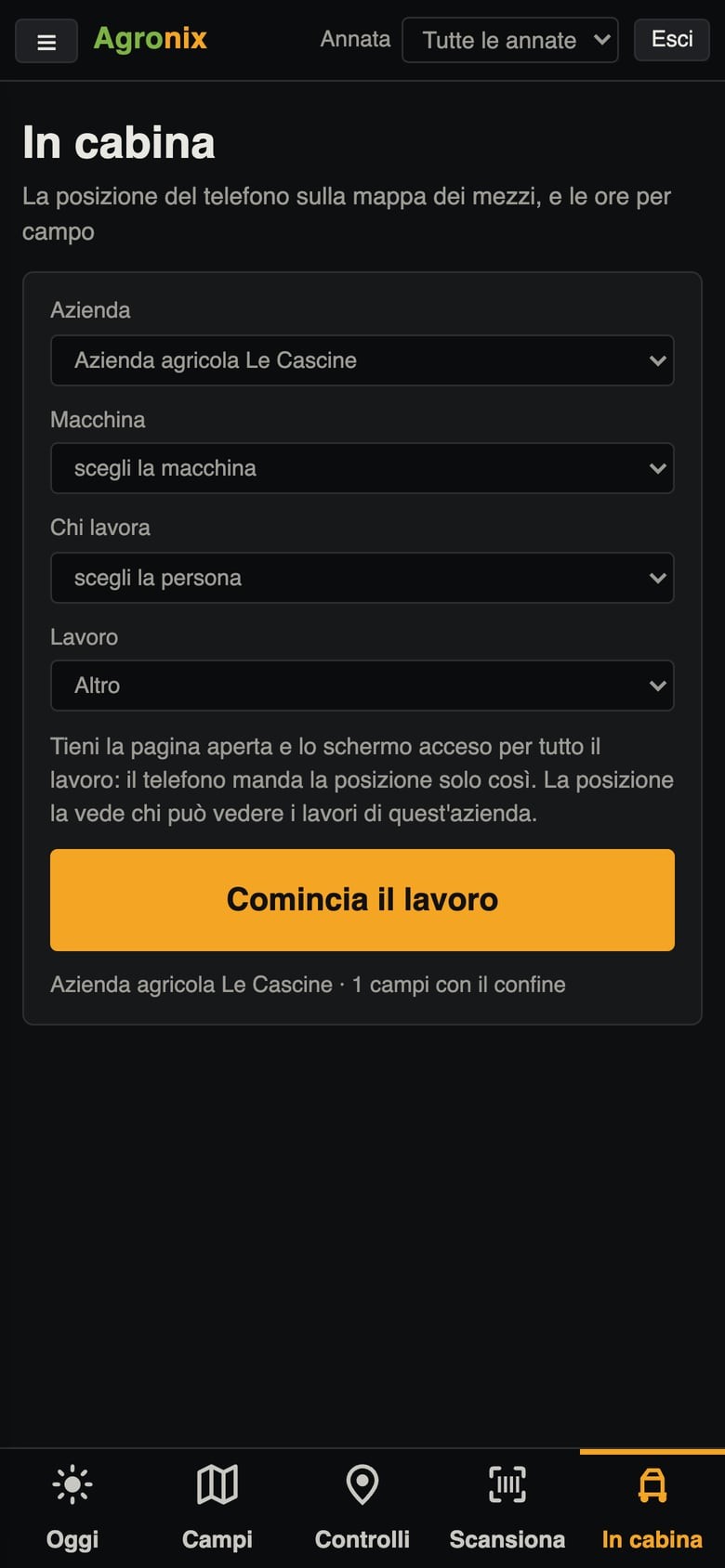
On the phone, Agronix becomes a field app with five items in the bottom bar, large enough for a finger even with gloves on. What is recorded without signal stays on the phone and is sent as soon as the signal returns. Prescriptions, deletions and confirmations stay on computer and iPad, for safety.

  • Five items at the bottom, large for the finger
  • Records saved even without signal
  • Installed from the Home screen, no app store
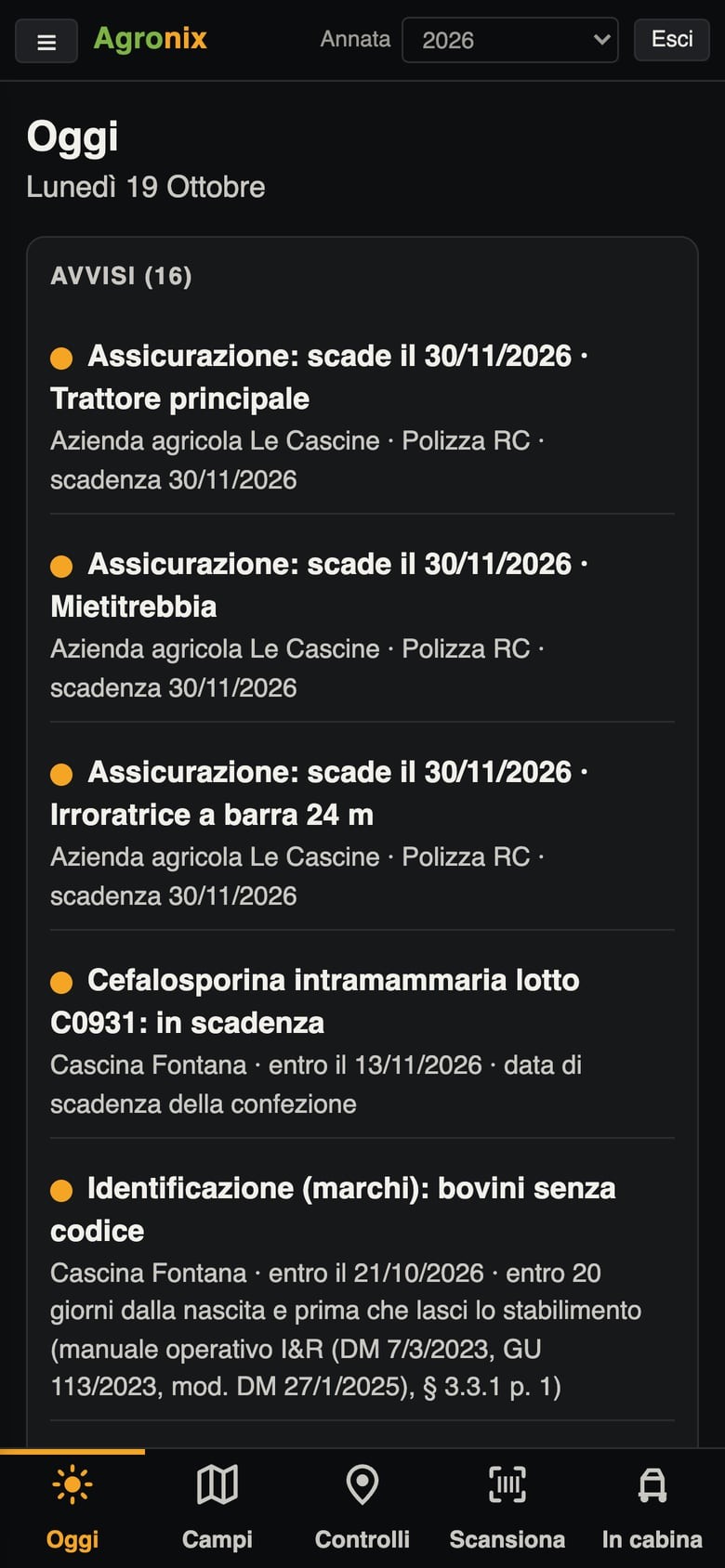
  • Today's alerts in the field app

    Today

    Alerts, weather with the hours suitable for spraying, and records waiting to be sent.

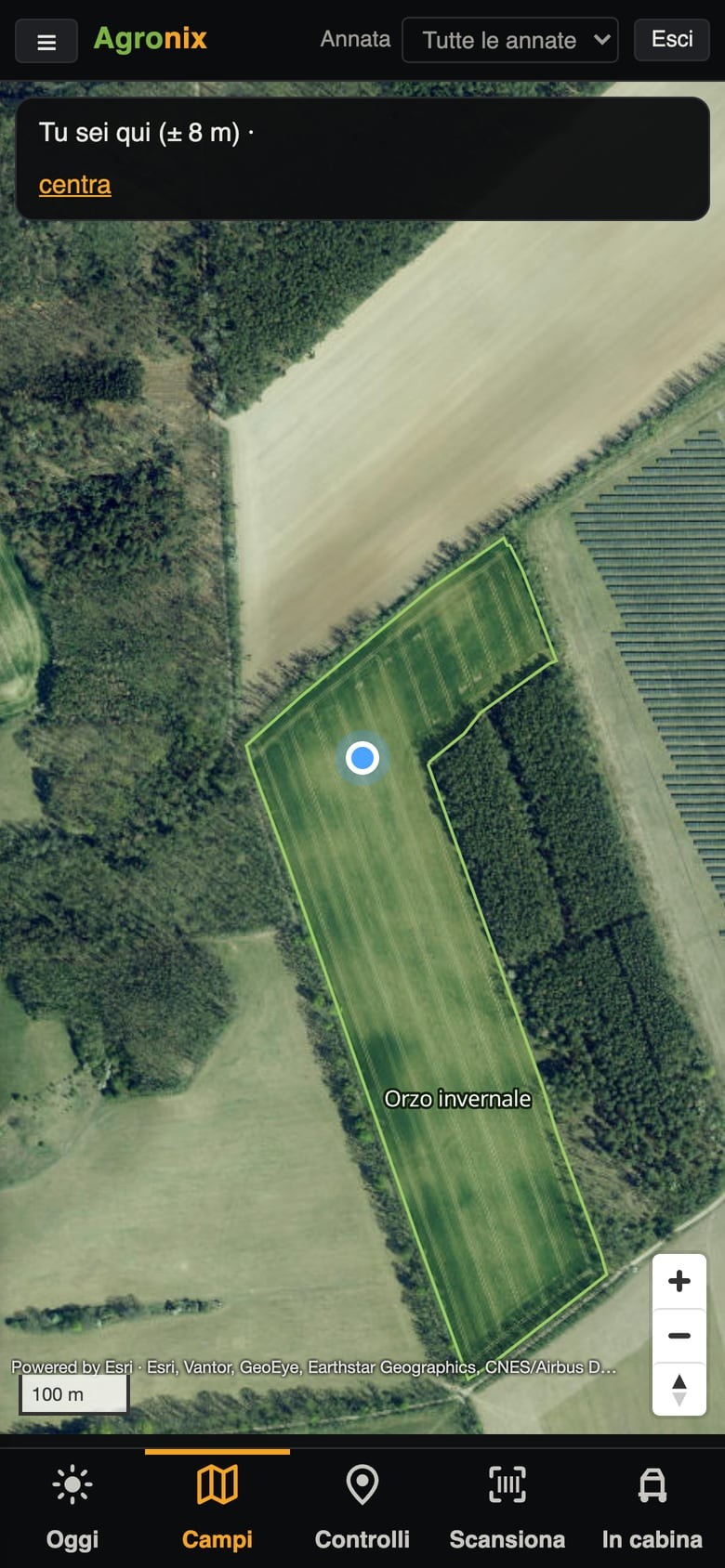
  • Map of the fields with the phone's position

    Fields

    Map with the phone's position, live vehicles and «Take me here» to the field.

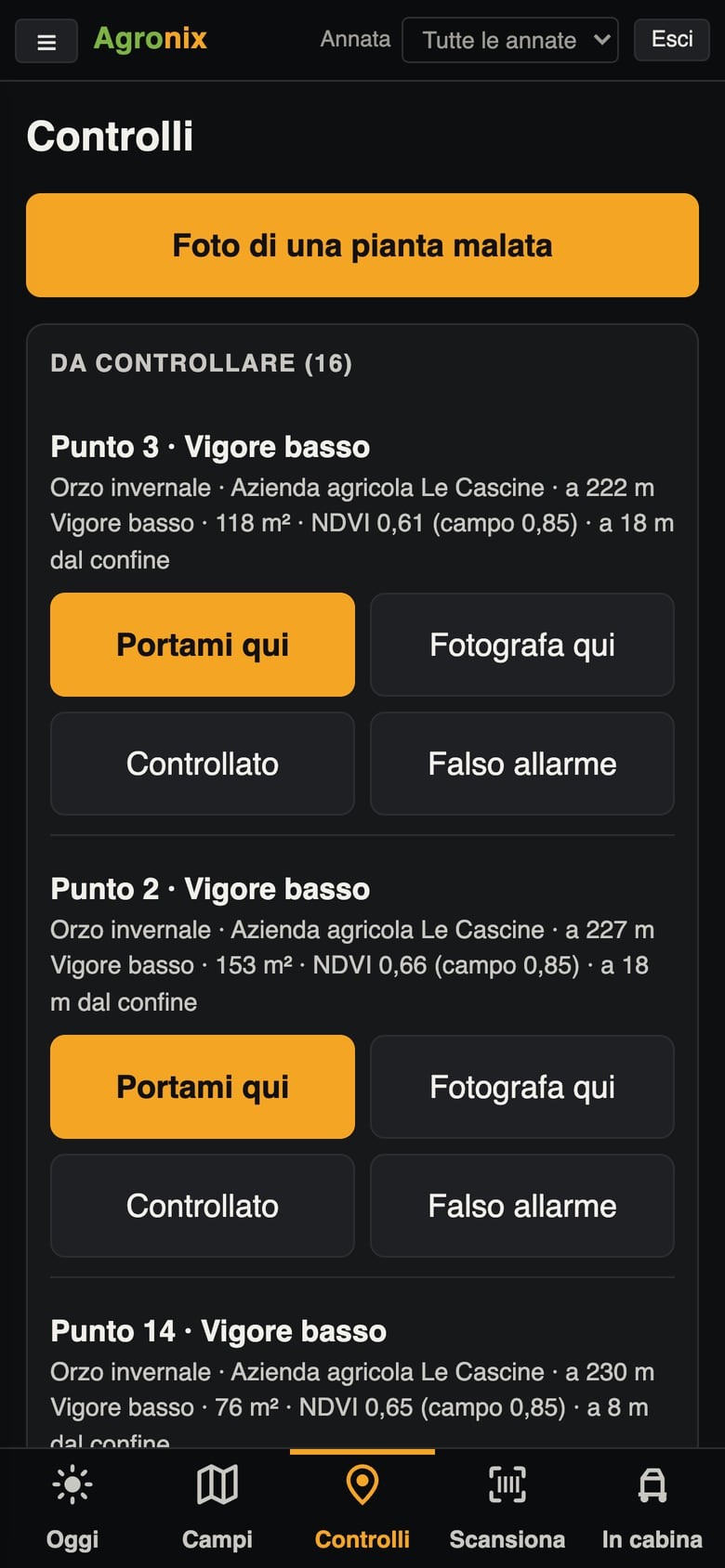
  • Points to check sorted by distance

    Checks

    Points to check from the nearest, with «Take me here» and «Photograph here».

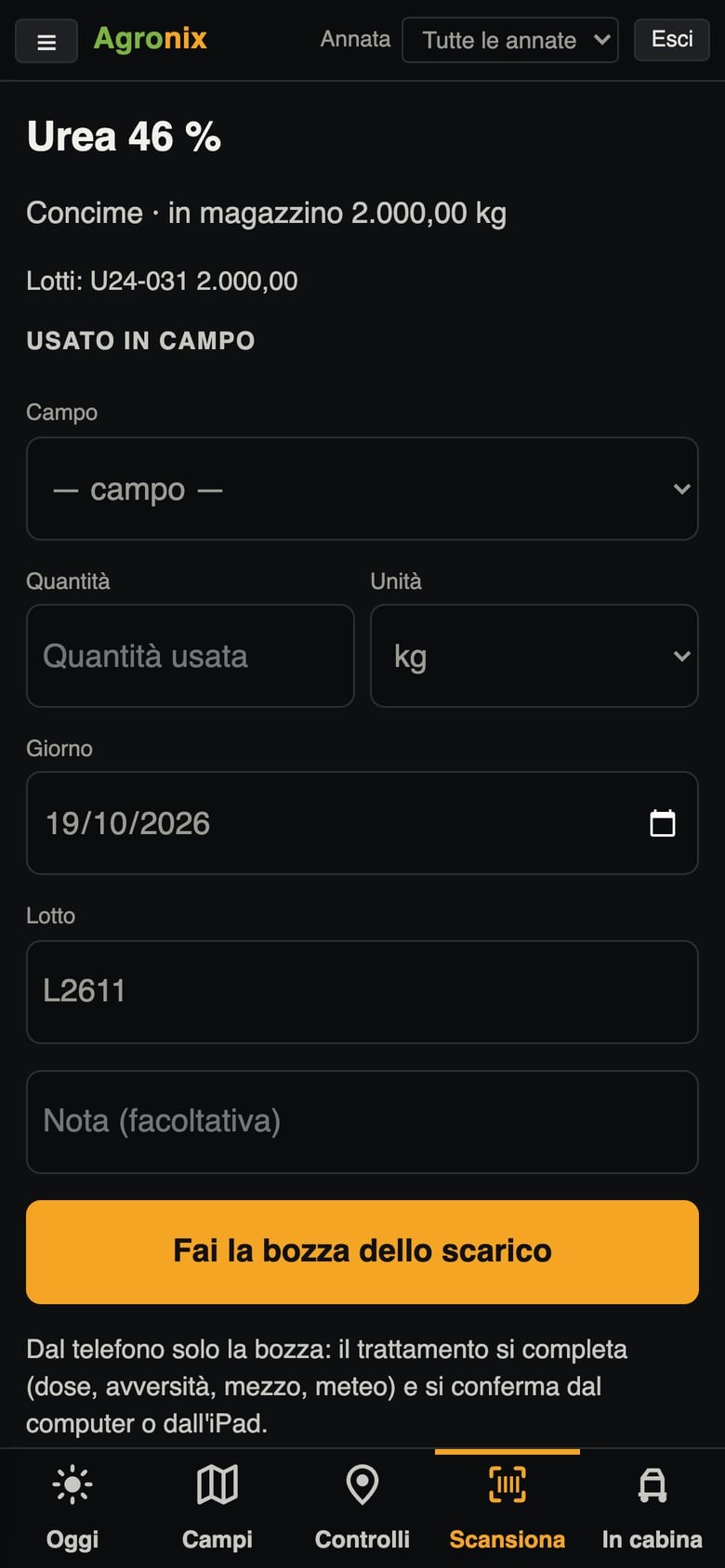
  • Package code read with lot and expiry date

    Scan

    Barcode or QR code on the package: lot and expiry date read, stock-out recorded as a draft.

  • The «In the cab» page on the phone

    In the cab

    Track, field and working hours from the phone's GPS.

Install Agronix as an app

  • Computer and Android

    Open app.agronix.it and choose «Install» in the browser: Agronix gets its own icon and window.

  • iPhone and iPad

    Open app.agronix.it, tap Share and then «Add to Home Screen».

  • Requirements

    An up-to-date browser and an internet connection.

See Agronix on your own farm

An online presentation, built around the way you work.

Request a demo