Agronix Home Farming
The home garden, followed from your phone
The app for the home vegetable garden and for small market gardens up to one hectare: draw the garden on the satellite photo, see what to sow this month, how much water to give and what is wrong with a sick plant. In Italian and English.
Name and e-mail are enough, the password arrives by e-mail: the trial has every feature and asks for no card. After 14 days the data stay visible read-only until you activate the year, for two people.
Home garden
From pots on the balcony to the family plot: beds, seedlings and seeds, with the calendar for your area.
Small market gardens
Up to one hectare: spray register with the allowed products, harvests, expenses and sales of the season.
Shared and school gardens
Two people per licence, the same garden on two phones, the diary with photos to tell the season.
Five tabs, sized for the thumb
Home
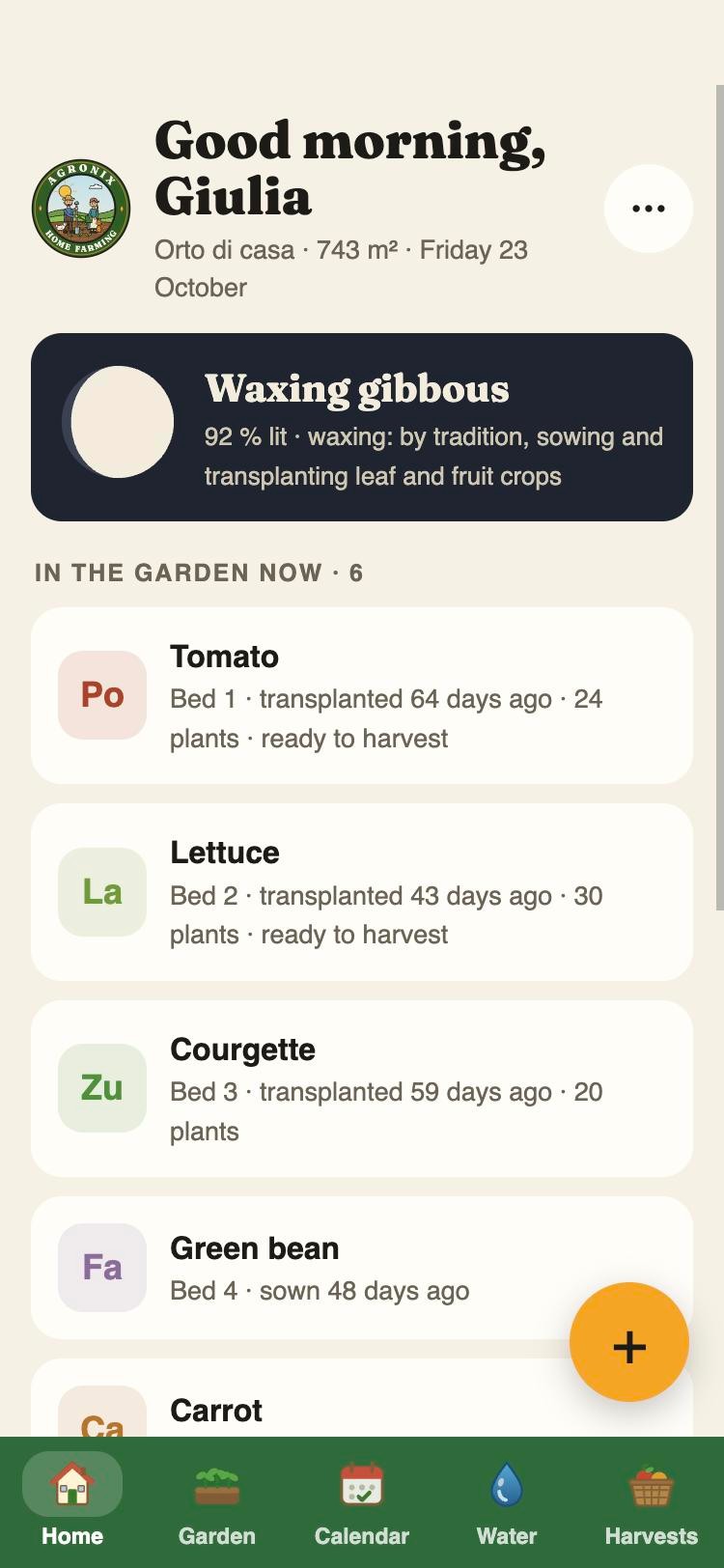
Today's moon, what to sow and harvest this month in your area, today's water and the diary.
Garden
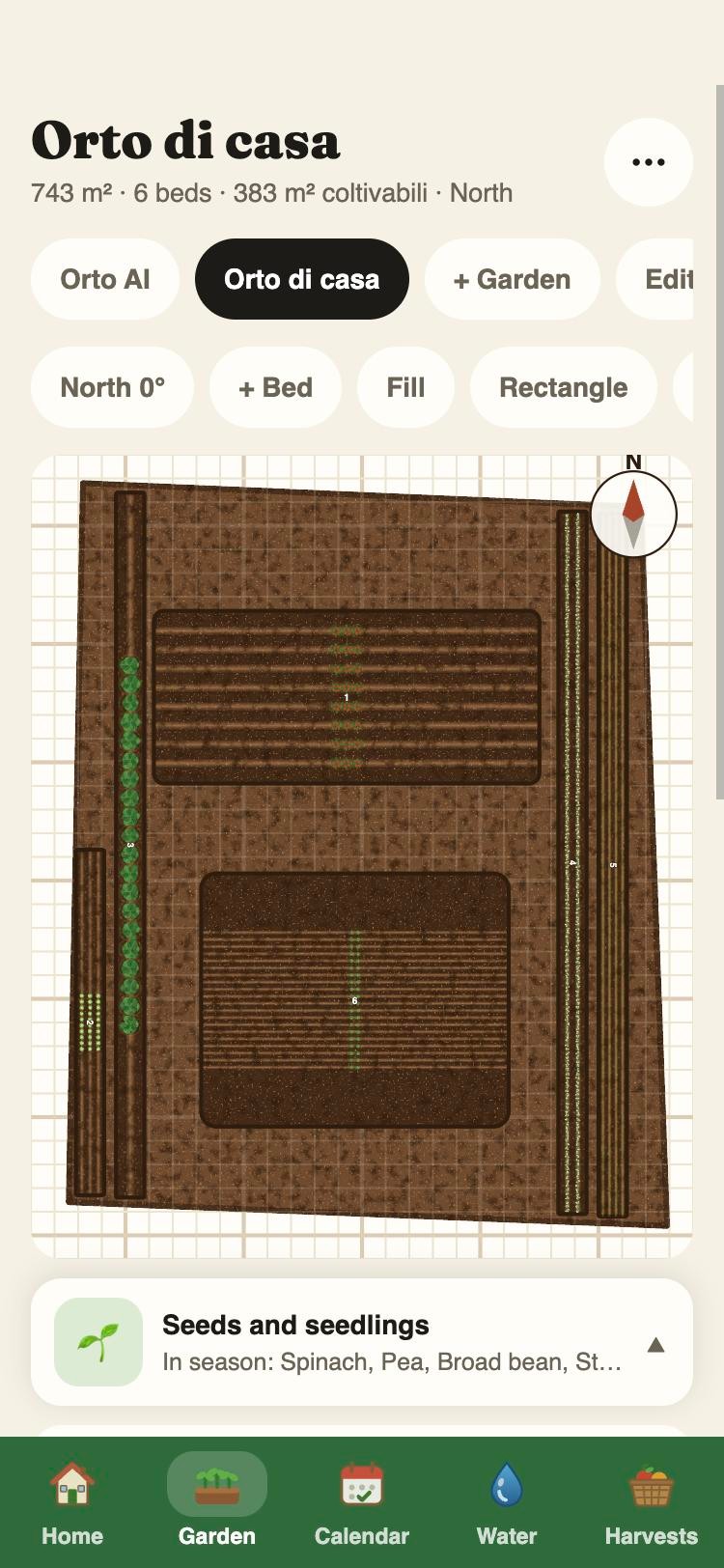
The plot drawn on the satellite photo, beds traced with a finger and turned as they really are, seedlings that grow.
Calendar
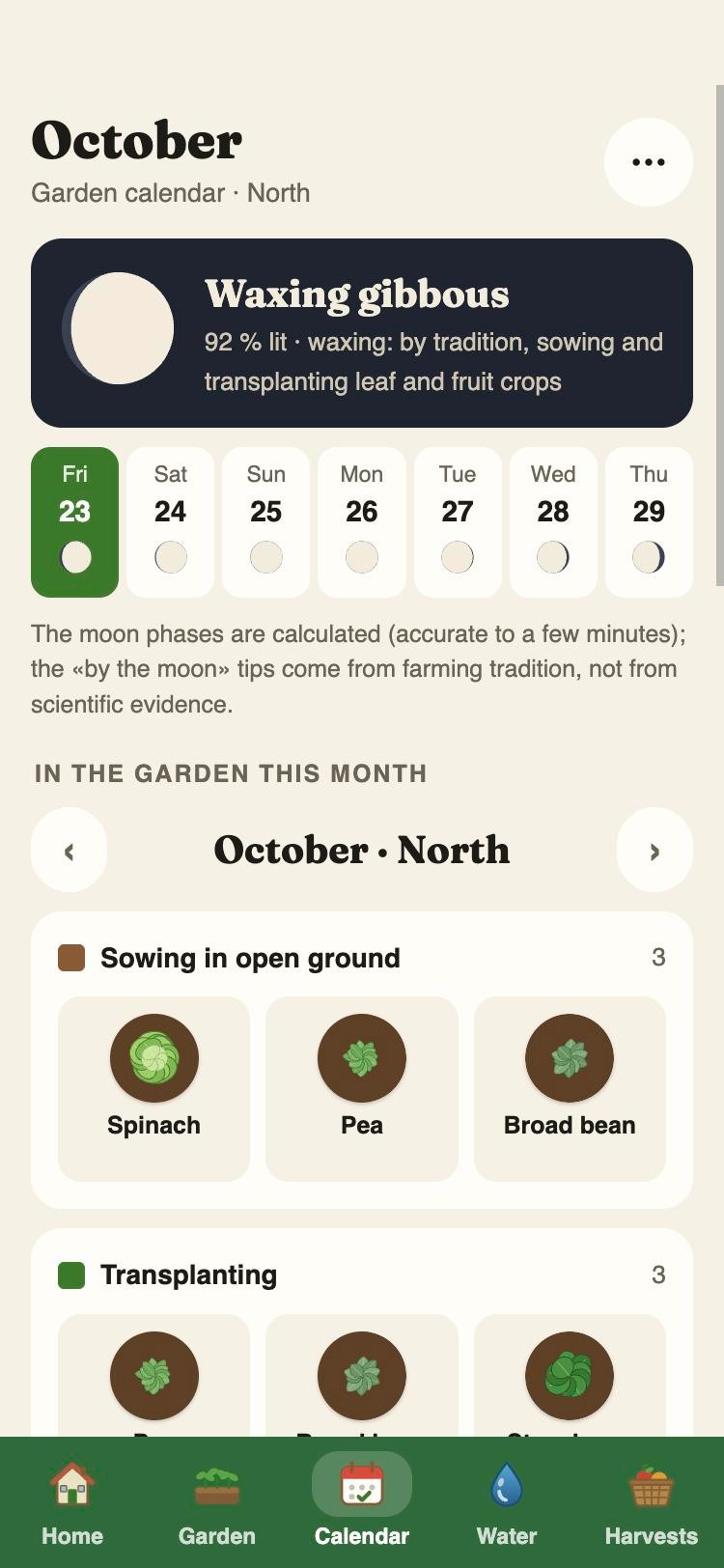
Sowings, transplants and harvests month by month for north, centre and south, with the lunar calendar and the sources for every plant.
Water
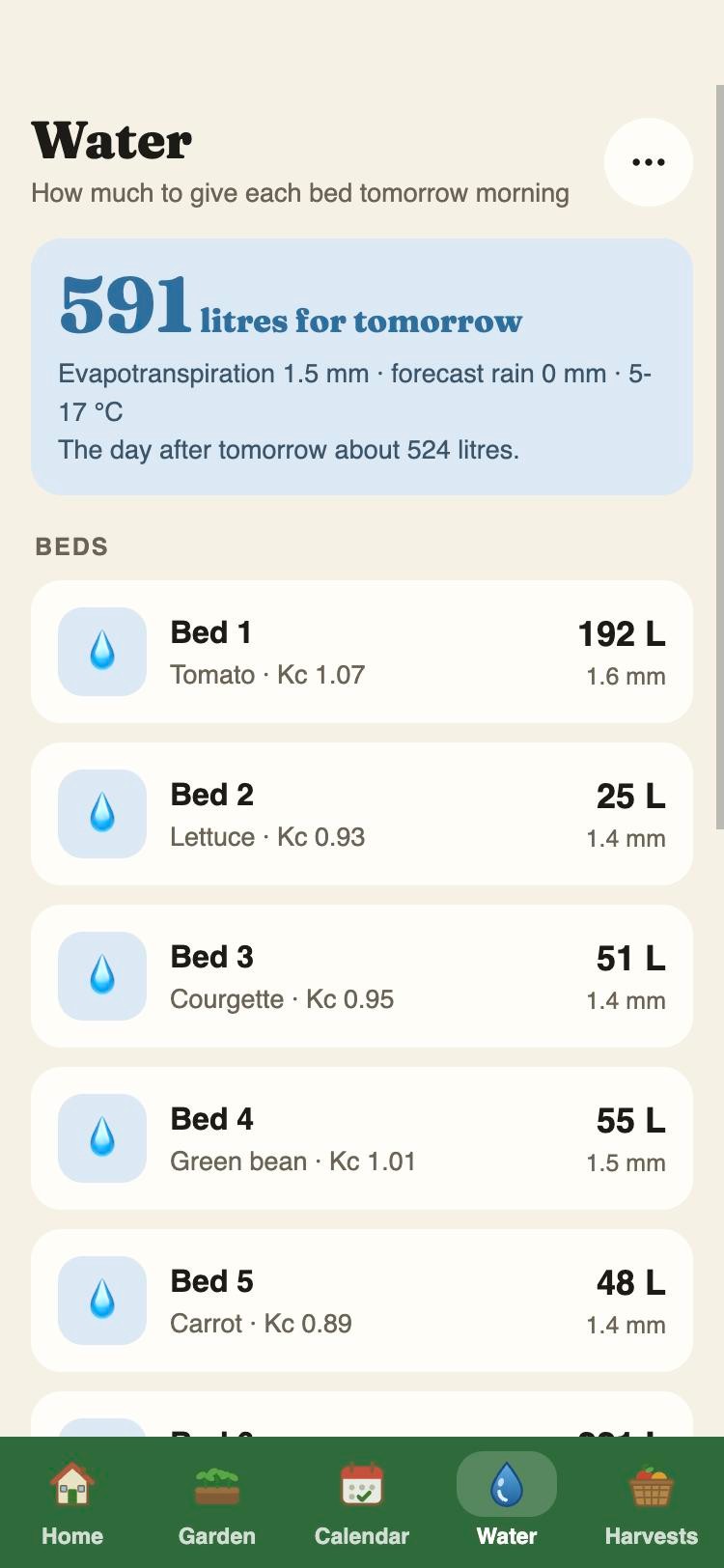
Litres per bed from today's weather and the crops' water use (FAO-56 method); drip minutes for each sector.
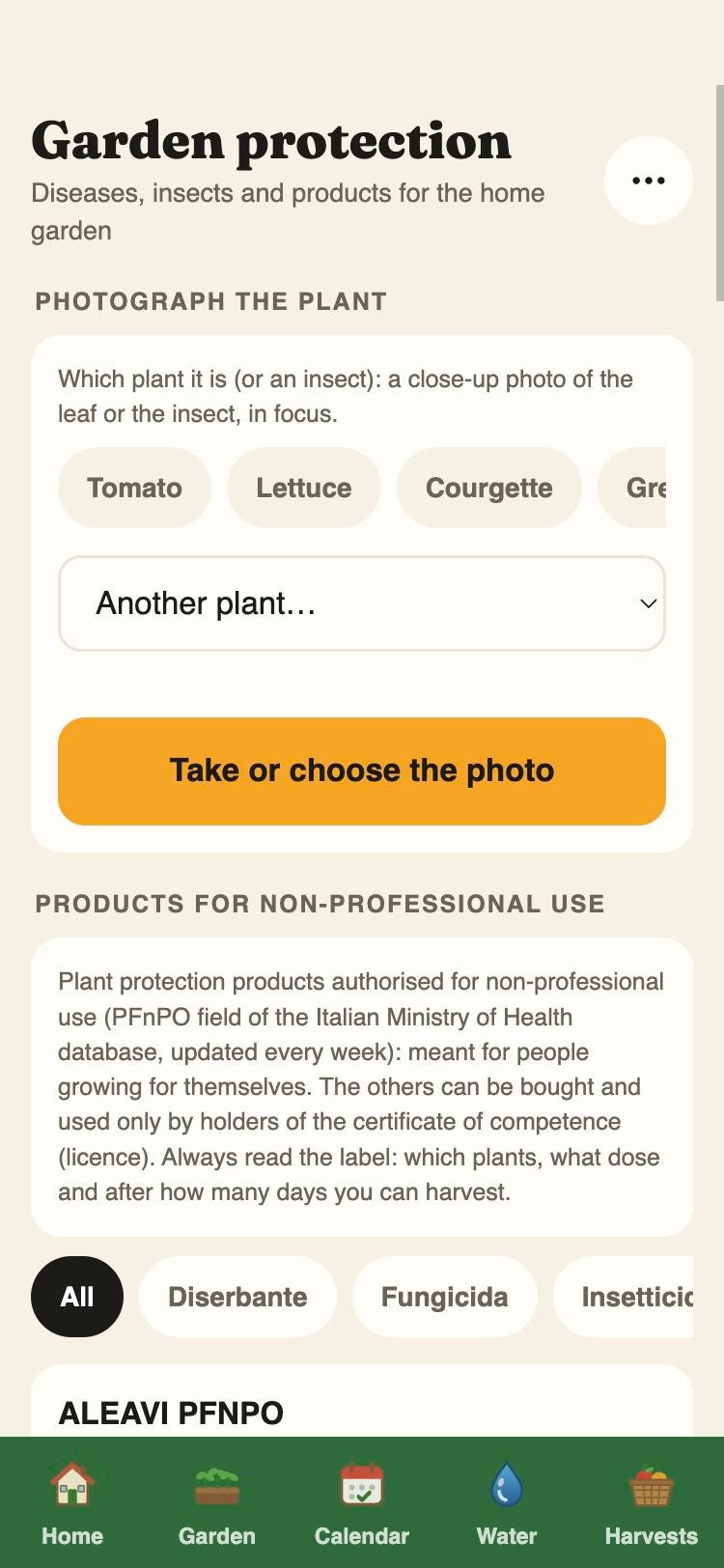
Protection
A photo of the ailing plant, the diagnosis with Agronix models and, with credits, a second opinion from a larger model.
What it does
The garden on the satellite photo
Position from the phone's GPS, plot drawn by tapping its corners on the photo, beds with a finger and «Fill» for standard rows. It saves by itself.
Sun and shade
With north from the compass and GPS, the map of sun hours on the 21st of each month with the shade of walls, trees and tall plants: where to put what.
Calendar and moon
Sowing, transplanting and harvest periods by area taken from seed packets and nurseries, with the source on every card; the moon is computed, not copied.
Water and drip irrigation
Litres per day per bed from the weather and the crop coefficient; drip sectors with emitters and flow rate; opening from the phone or by itself every morning with a Shelly relay.
Protection with a photo
Diagnosis from photos with Agronix models for garden diseases and insects, late blight risk from the weather, products allowed for non-professional use.
Spray register
Treatments and fertilisations with product, dose, area and pre-harvest interval, as the law requires for those who sell; once confirmed they cannot be changed.
Harvests, expenses and sales
Kilos and pieces per plant and per bed, expenses by item, sales with the customer: the season's balance at a glance.
Stock and fertilisation
Seeds, seedlings, fertilisers and products with quantities and expiry dates; the fertiliser dose in grams per square metre for every plant.
Added when needed
Three separate services, from the app, with the same account.
Drone survey
Photos from above, vigour map, thermal or 3D model of your garden: the request starts in the app, Pixel Air flies on quotation.
Tax and compliance
For those who sell: registers and obligations, invoices, bookkeeping and returns in the full Agronix, with the same account.
Small livestock
Hens, rabbits, bees, sheep and goats: animals, registers, feed and nitrogen for the fields.
How to start
- 1
Open orto.agronix.it
Name and e-mail: the temporary password arrives by e-mail. On the phone it installs from the Home screen, no store needed.
- 2
Draw the garden
Standing in the garden, the phone gives the position: tap the corners of the plot on the satellite photo and trace the beds with a finger.
- 3
Mark the plants
From a catalogue of over fifty vegetables, herbs and small fruits: calendar, water, protection and harvests start from there.
Try Agronix Home Farming
Fourteen days with every feature, from your phone, no card.
Try it free for 14 daysBuy one year
Name and e-mail are enough, the password arrives by e-mail: the trial has every feature and asks for no card. After 14 days the data stay visible read-only until you activate the year, for two people.