Every field with its history
Boundaries, crops season by season, cadastre, environmental constraints and soil analyses on the page of each field.
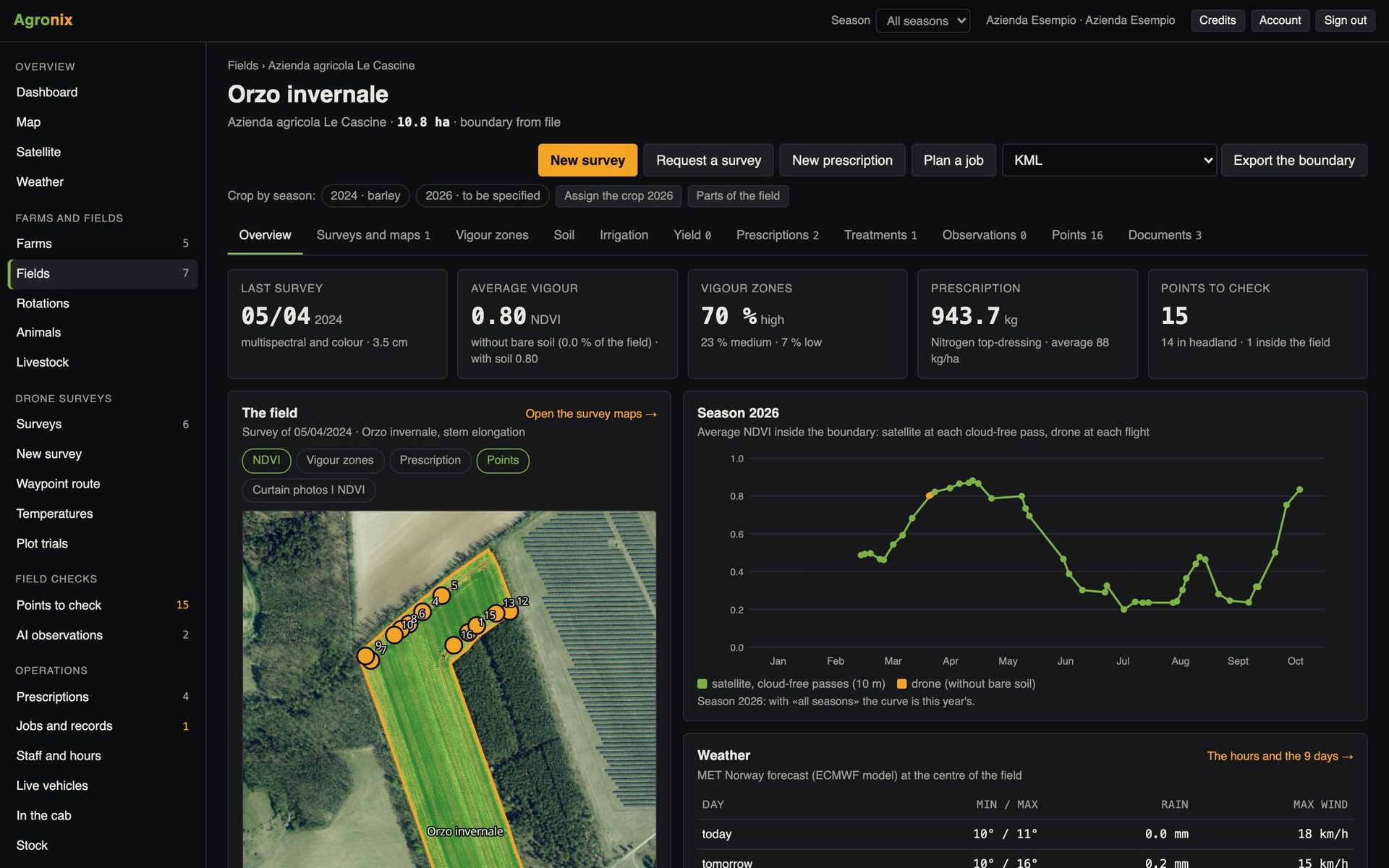
In Agronix everything starts from the field. The boundary is drawn on the map or imported from existing files; from then on the page gathers the crop of every season, surveys, satellite passes, prescriptions, treatments, cadastral parcels and soil analyses.
Field page
Follow the season in a single chart
At the top the latest survey, vigour, prescriptions and points to check; below, the sequence of dates with surveys and satellite passes, the map, the season curve and the weather for the coming days.
- Crop by season, even on parts of the field
- Drone and satellite on the same chart
- Weather for the coming days
Boundaries and constraints
Import the boundaries, the constraints come by themselves
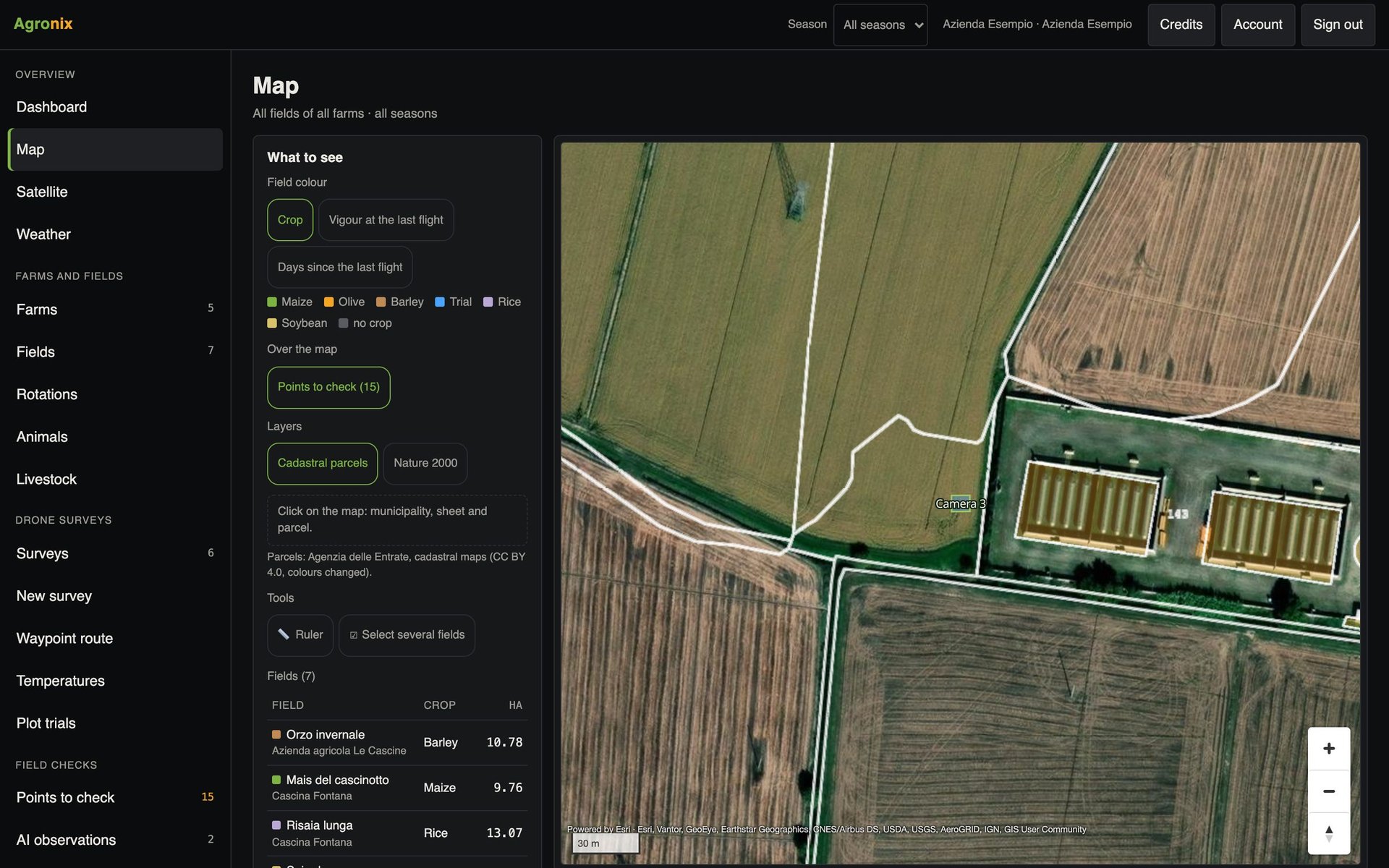
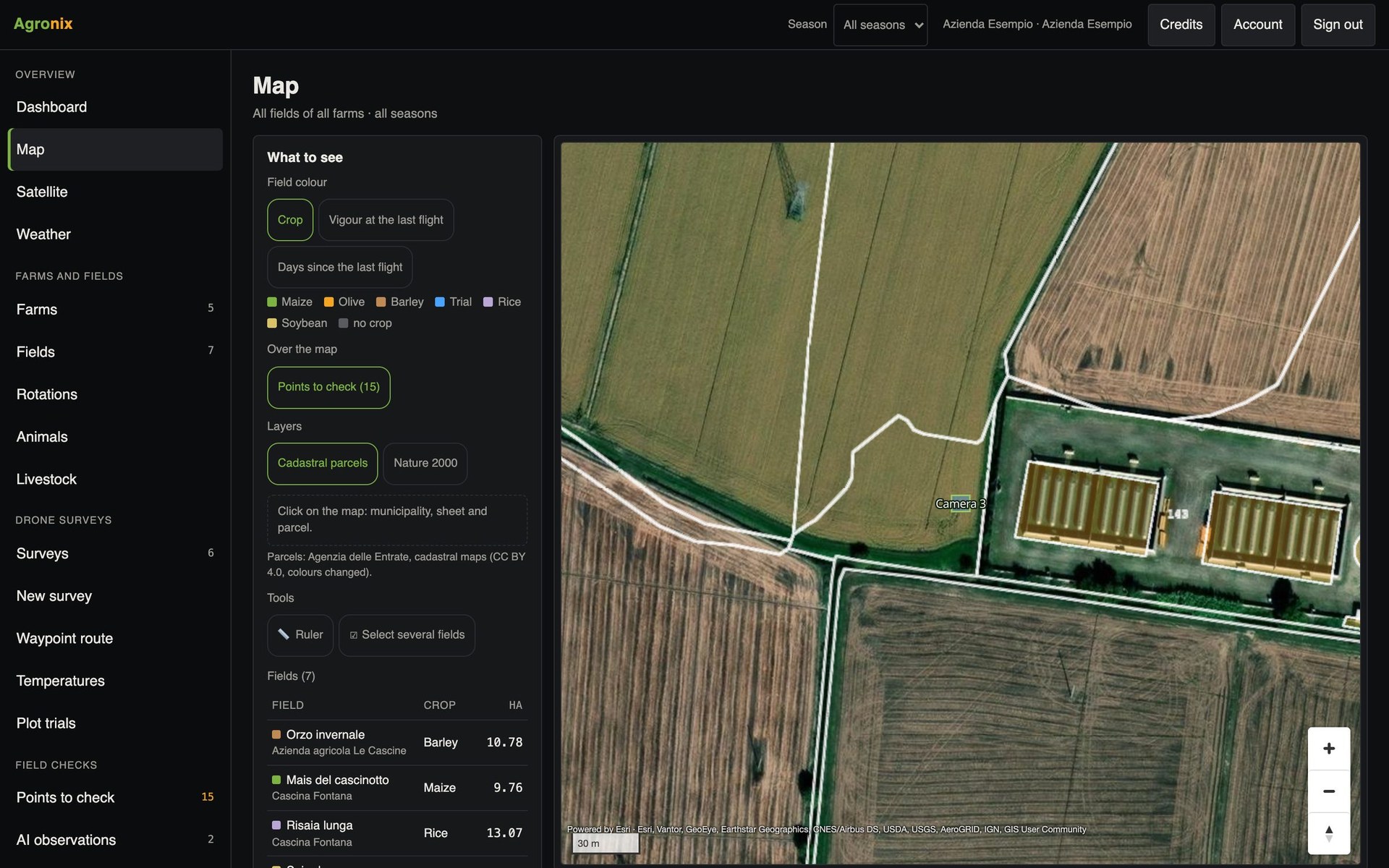
Boundaries drawn on the map or imported in any coordinate system, with the area calculated on the ellipsoid. Under the boundary Agronix finds the cadastral parcels with their hectares, nitrate vulnerable zones and Natura 2000 sites.
- Shapefile, KML, KMZ, GeoJSON, GeoPackage
- Cadastral parcels with hectares
- Warning on overlapping fields
From the drone flight
Boundaries suggested from the orthomosaic
After a survey with the colour camera, Agronix looks for fields in the orthomosaic and suggests their boundaries. Each one is checked on the map and only the chosen ones are imported, with the crop; fields already on the farm start excluded. A survey from the Drone surveys module is needed.
- Boundaries found in the colour orthomosaic
- Check on the map before importing
- Fields already there excluded
Soil and surveys on request
Interpret soil analyses
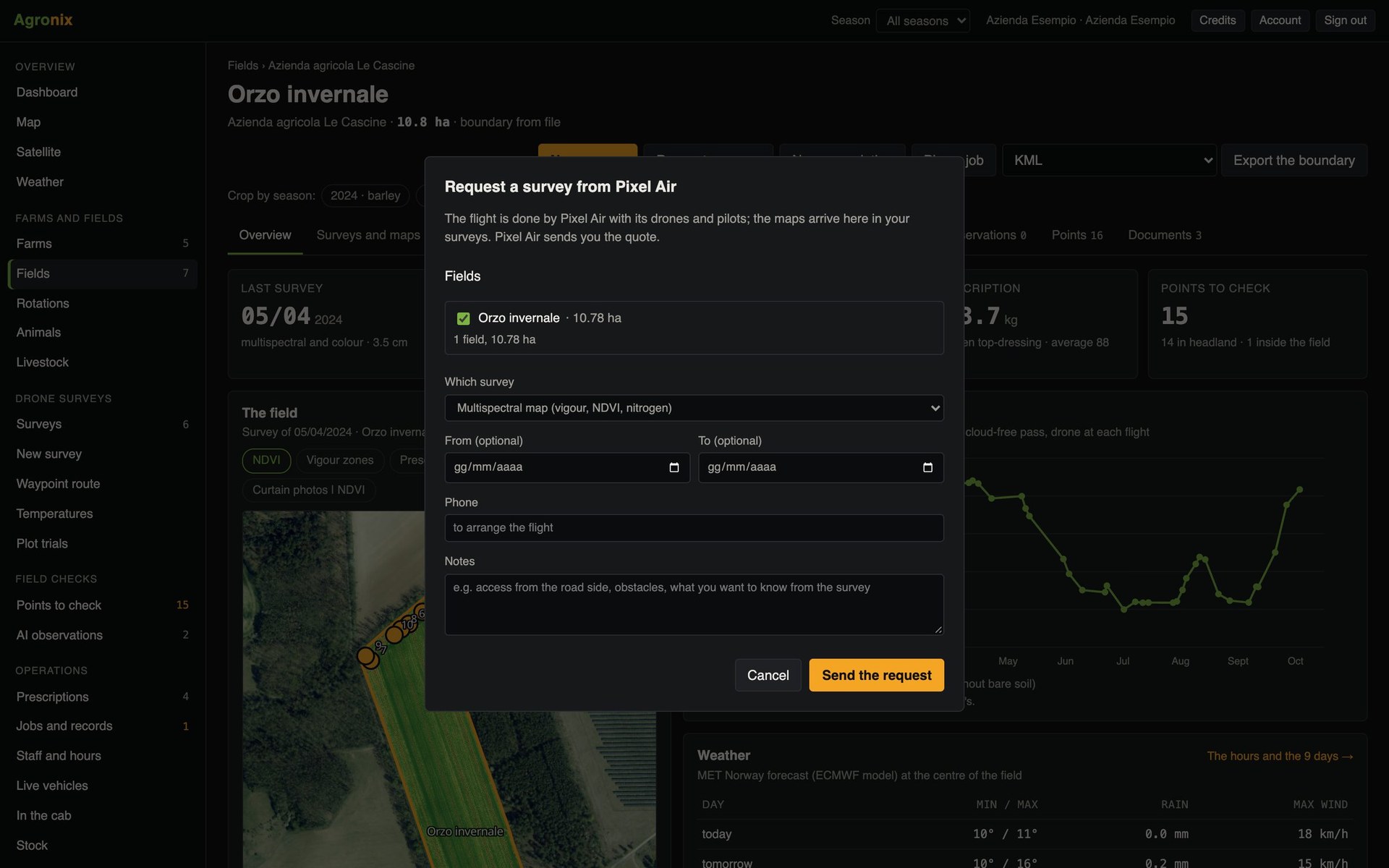
Laboratory analyses are recorded with the sampling point: Agronix returns the texture class, the rating of each parameter according to the regional tables and the standard nitrogen, phosphorus and potassium rates. From the same page you can request a drone survey from Pixel Air.
- Tables for Piedmont, Lombardy and Italian national guidelines
- Standard rates for dozens of crops
- Survey request included in Base
How to use it
- 1
Create the farm
A workspace can hold more than one.
- 2
Bring in the boundaries
Drawn, imported from a file or suggested from the flight.
- 3
Set the crop
Season by season, even for portions.
- 4
Open the page
Surveys, satellite and weather link up by themselves.
Specifications
- Import
- Zipped shapefile, KML, KMZ, GeoJSON, GeoPackage.
- From the flight
- Boundaries suggested from the colour orthomosaic of a drone survey, to check before importing.
- Export
- KML, WGS84 shapefile, GeoJSON, AB line for terminals.
- Cadastre
- Municipality, sheet, parcel and hectares under each boundary.
- Soil
- 2026 production guidelines of Piedmont and Lombardy, Italian national guidelines.
Related features
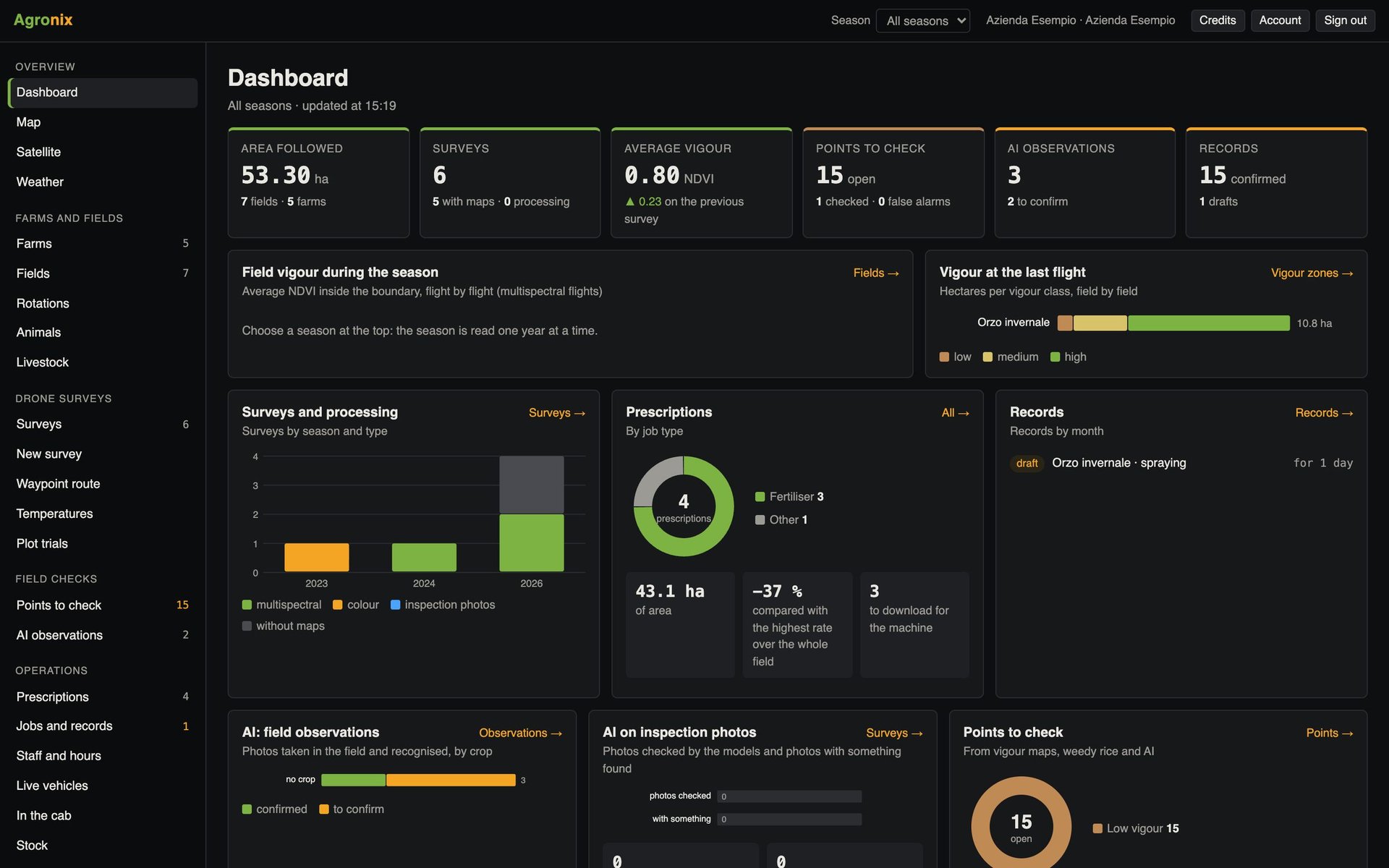
- Dashboard and mappingThe growing season on one screen and every field on a map, with cadastre and protected areas.Learn more
- RotationsCrop plan over five seasons with the rotation check under GAEC 7.Learn more
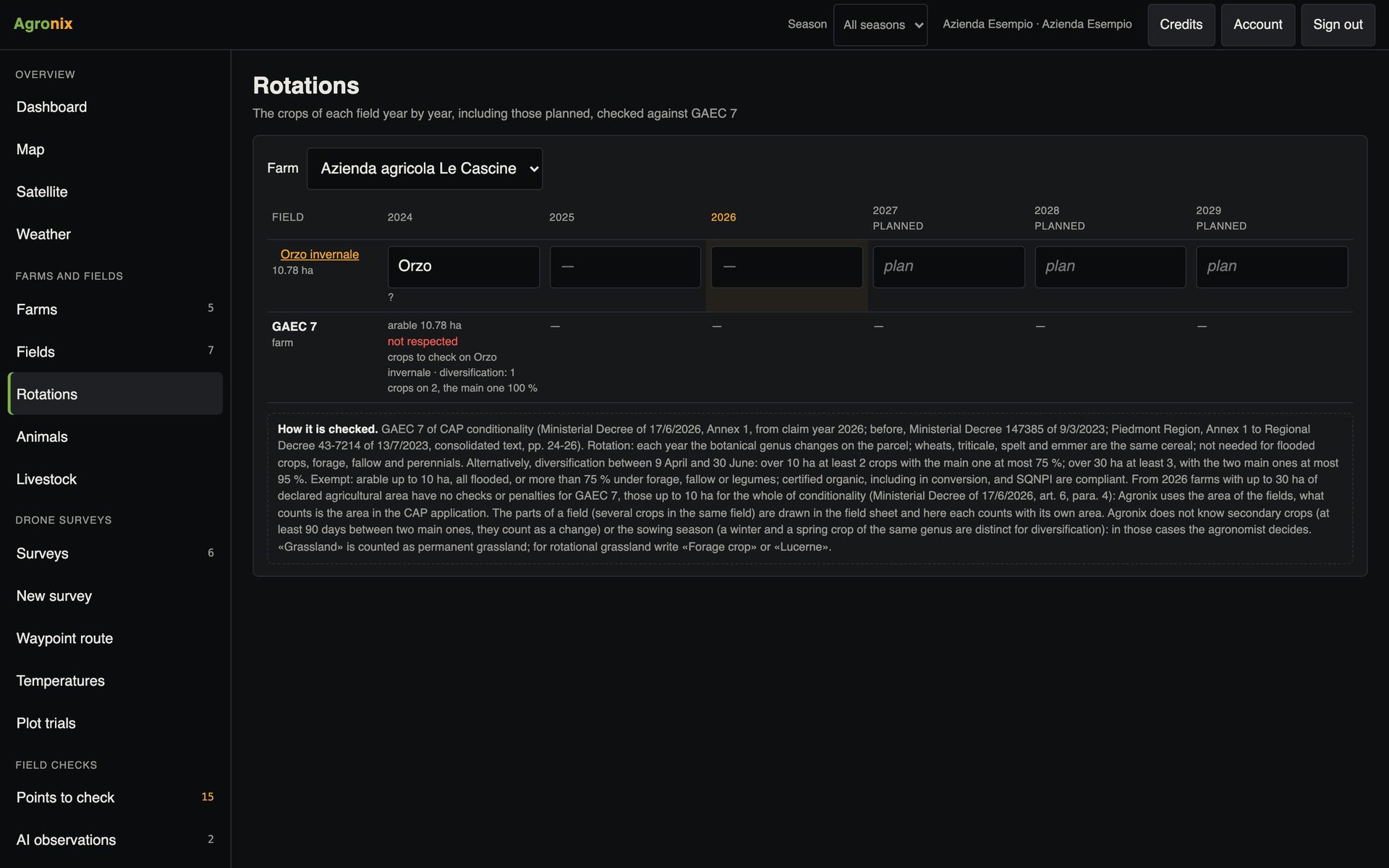
- Cross-complianceNitrate vulnerable zones, manure nitrogen, Natura 2000 sites and GAEC 7, checked field by field.Learn more